01
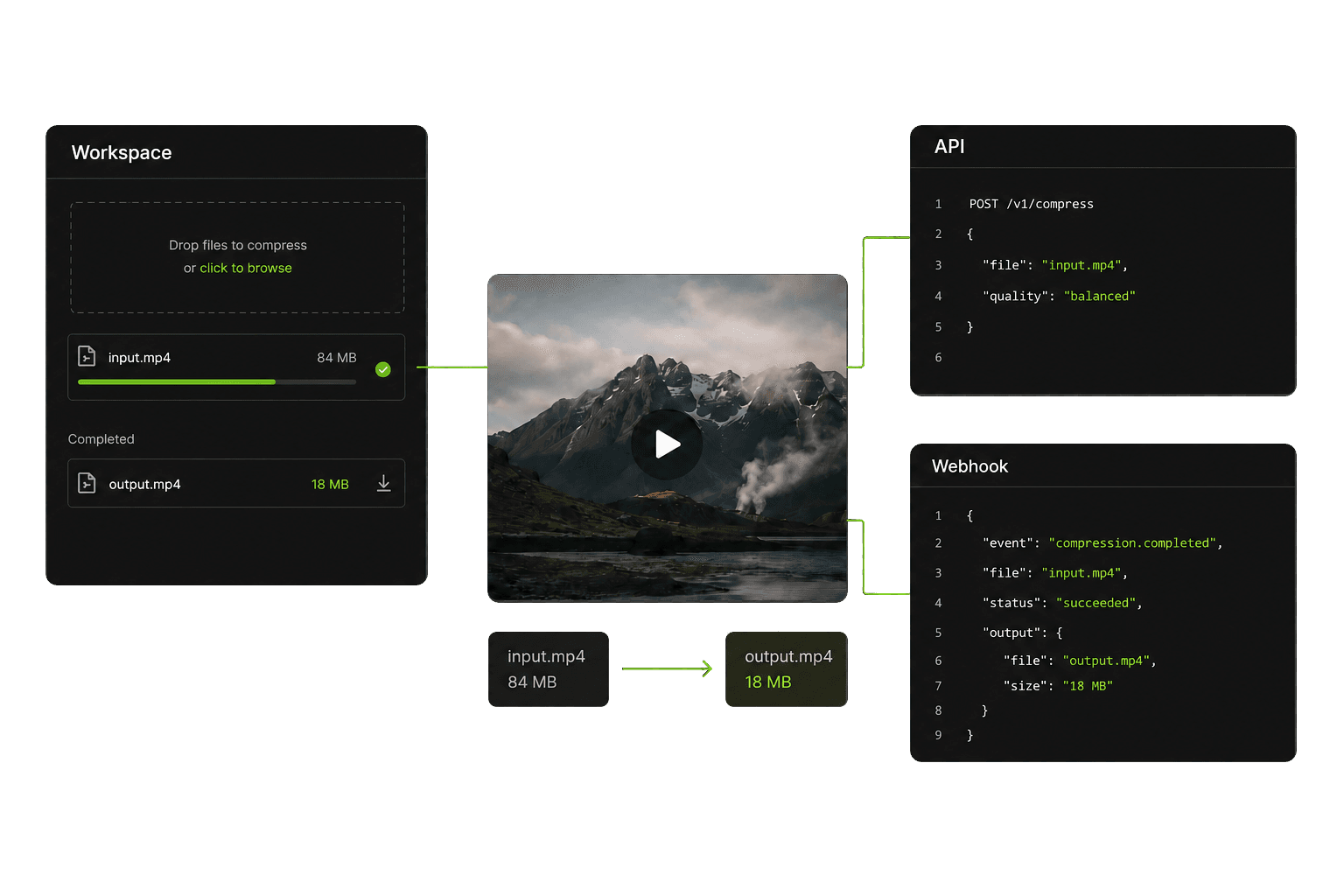
Compress from the workspace
Upload media, choose a preset, and follow the real processing job from one focused workspace.
 Dislify
Search for a command to run...
Compress video, images, and audio in batches, run long jobs in the cloud, manage storage and retention, clean up Drive or Dropbox, and automate workflows with the API, SDK, and webhooks.
Connected media pipeline
Import from your device, Google Drive, or Dropbox. Dislify applies the same secure processing before delivering the result wherever your workflow needs it.
Import from
Dislify media core
One secure pipeline for every source and preset.
Deliver to
Media types
Video · Image · Audio
Connected sources
Device · Drive · Dropbox · S3
Developer platform
API · SDK · Webhooks
Built for
Bots · Apps · Workflows
Try the workflow
Upload a video, image, or audio file, choose a preset or target size, and download the optimized result through the same processing system used by the dashboard and API.
Upload one file, a batch, folder, ZIP archive, or connected cloud media.
One system, three surfaces
Compress through the workspace, developer API, or automated webhook workflows—all powered by the same processing system.
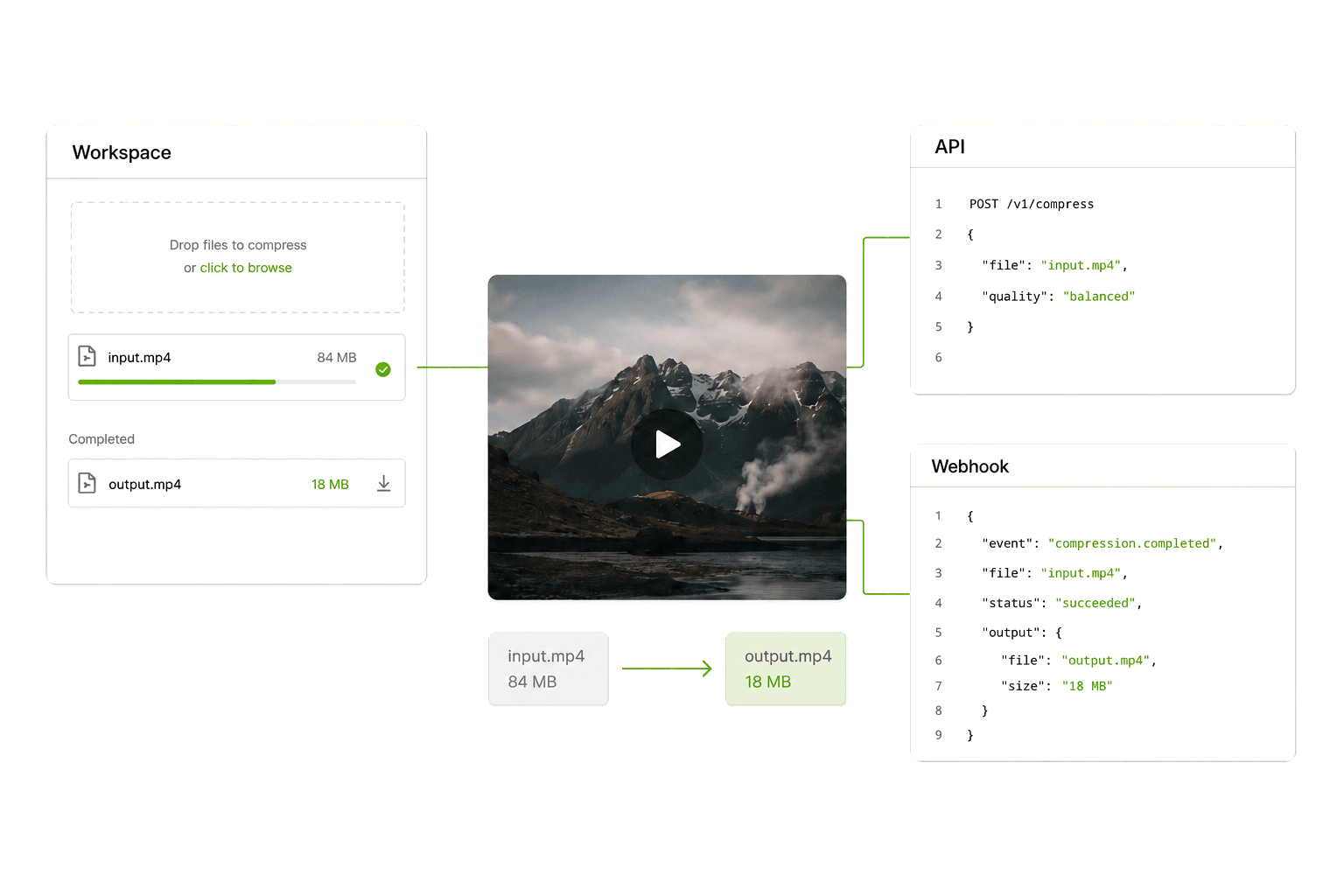
Upload media, choose a preset, and follow the real processing job from one focused workspace.
Use the REST API or @dislify/sdk to submit media, inspect usage, and connect compression to your product.
Receive signed job events, test endpoints, rotate secrets, and keep downstream systems synchronized.
Build a bot that accepts attachments, sends them through Dislify with the Discord preset, reports progress, and returns the optimized output or a secure share link.
Accept an image, video, or audio attachment from Discord.
Send the attachment through the SDK or REST API.
Edit the deferred response while Dislify processes the job.
Return the optimized file or its secure share URL.
Bring your own storage
Use included managed storage, then connect your own S3-compatible bucket when you need more capacity, longer retention, or direct control over storage lifecycle.
Pro includes 8 GB and Unlimited includes 25 GB of Dislify-managed storage for active jobs and retained results.
Connect AWS S3, Cloudflare R2, Backblaze B2, Wasabi, DigitalOcean Spaces, or another public S3-compatible endpoint.
Send every new upload to your bucket or use it for overflow, then choose a retention period or keep files indefinitely.
Pro: 8 GB managed · Unlimited: 25 GB managed
BYO S3 supports full routing or overflow routing, plus custom retention for new uploads. Your bucket stays under your account and billing.
Operational depth
Authentication, plan limits, queues, storage, notifications, developer APIs, and secure delivery work together across the compression lifecycle.
Authentication, verification, sessions, and account controls.
Plan-aware limits, API quotas, managed storage, and real processing metrics.
Fair queues, dedicated workers, progress updates, background jobs, and email completion alerts.
Private storage, signed uploads, protected downloads, share links, and verified callbacks.
Integrations
Connect cloud storage, your own S3-compatible bucket, or move directly into code. Every source feeds the same private Dislify processing pipeline.
Google Drive
Import media or reclaim space by saving verified compressed copies back to Drive.
Dropbox
Compress Dropbox media in place, with replacement available only after explicit approval.
Your S3 bucket
Connect S3-compatible storage on Pro or Unlimited for overflow, custom retention, or full routing.
@dislify/sdk
Handle authentication, signed uploads, retries, polling, and typed results.
Cloud storage cleanup
Pro and Unlimited workspaces can compress selected Drive and Dropbox media, save a smaller copy, or explicitly approve replacing the original.
Use cases
Start with manual compression and grow into batch jobs, cloud storage, and automated delivery without changing products.
Shrink clips and media that exceed channel upload limits.
CreatorsCompress user attachments and return results automatically.
AutomationOptimize generated images and media before production delivery.
DevelopersProcess customer media before long-term storage or delivery.
ProductsReclaim Google Drive or Dropbox space without automatic replacement.
ProRoute new uploads to your own S3-compatible bucket and control how long files stay there.
StorageQuestions
A practical view of what Dislify processes and how it fits into real workflows.
Dislify is designed for common video, image, and audio formats. Exact support depends on the active worker configuration and selected compression mode.
Upload a video and choose a preset or target size. Dislify compresses it in the cloud, and signed-in users can run batches and leave long jobs processing in the background. The same workflow also supports images and audio.
No. Discord-friendly compression is a core use case, but the same pipeline supports creator uploads, web products, bots, storage workflows, and developer APIs.
Yes. Developer access includes the REST API, @dislify/sdk, asynchronous jobs, usage visibility, and signed webhook events.
Dislify uses private object storage and protected delivery URLs. Managed files are retained for 1 day on Free, 30 days on Pro, and 90 days on Unlimited. Pro and Unlimited can also connect their own S3-compatible bucket for custom retention and storage routing. BYO S3 is available from Account settings.
Yes. Pro and Unlimited workspaces can compress selected cloud media and save smaller copies back to Google Drive or Dropbox. Replacing originals is optional, requires explicit approval, and only runs after the output is verified to be smaller.
Ready when you are
Create an account for the workspace, connect your storage, or explore the developer API, guides, and webhook workflow.